

Image Image Image Image Image

Screen.io’s participation platform extends your presentation seamlessly onto audience members’ mobile devices through the web. Collect, analyze and present audience data. Measure your event value.

Twitter @screen.io

Follow us:

Scroll to Top

To Top

Case: Social Media Keynote

Case: MVV 2011

Case: EIT ICT Labs

Case: Presidential panel

Case: Technopolis MoneyTalks Forum

Slides & Polls now on the
Mac App Store


Don’t settle for static talks. Move to the next level of presentations and let your audience participate. Your first step is downloading Slides & Polls from the Mac App Store.

Download now ➟

Slides, evolved

What if you could learn from your audience? Knowing where your audience comes from, if they understand your message, knowing what they fear, hope and dream are all things that enable you to connect better with your audience. Why don’t you ask them? Slides & Polls is just the right tool. You can make polls during your presentation, open public and private chats and serve your slides and slide notes to your audience screens.

Slides & Polls FAQ

Effortlessly interactive

You need few things to set up a participatory presentation.

  1. Presentation slides which you can import from Powerpoint, Keynote, or other visual authoring tool.
  2. Interactive slides which Slides & Polls helps you to set up.
  3. Some practice. With Slides & Polls you can practice the interaction. You bring the presentation, we provide a virtual audience for your practice sessions.
  4. Connected audience that can go to the URL that you can define with Slides & Polls.
  5. Stimulant presentation which will get the audience participating.


Practice makes perfect

The chances are that you are an experienced speaker. However, the chances are that you are not experienced in giving interactive presentations where audience is participating.

How do you practice presenting to an active audience of ten or a hundred? Slides & Polls has an award winning audience simulation system ™. Our innovative software enables you to simulate the audience participation. You can conduct polls, ask questions and start chat — Slides & Polls simulated audience will test your slides. They will vote, chat and best of all; they will not lose their interest even when you are on your eleventh practice run.

Co-Channel – relevant talkback from your audience

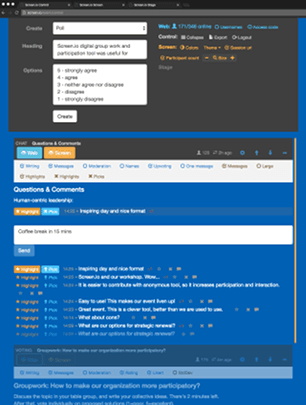
You can also make audience comments visible in your presentation. Ask open questions, feedback or contact information. You can display the results on public screen with your presentation or make the comments visible only on participant screens.

You might get a lot of comments or questions. Yes, that happens. This is why we enable you to highlight only the relevant comments easily. This is perfect for Q&A.

What if someone can’t play nice and sends nasty comments? Don’t worry. You can easily moderate comments with Slides & Polls. Just one click and the inappropriate comment disappears.


Get it on the Mac App Store

Slides & Polls by Screen.io is available worldwide via the Mac App Store:
Get it now

Frequently asked questions

Find out more about what this app can do for your presentations:
Slides & Polls FAQ